5.6 Domain Rules (Allowlist and Blocklist)
The Allowlist and Blocklist tabs on the Websites page hold account-level domain rules. They control which hosts may activate the licenses on your account. They apply across every license, so you set the policy once rather than per license.
Reach for them when you want licenses tied only to known production domains, when dev and preview sites should share a production license without counting as separate activations, or when you need to block a domain that's abusing a key.
How the two lists interact
- The Allowlist is a positive list. As soon as it has at least one entry, activation is restricted to hosts that match it. Every other host is refused. If the Allowlist is empty, it isn't enforced and any host may activate (subject to the Blocklist).
- The Blocklist is a negative list. Anything matching a Blocklist pattern is refused, regardless of the Allowlist.
If a host matches both, the Blocklist wins: a blocked host is never allowed.
When an activation is refused by either list, the plugin receives an authorized_url_policy_denied response. See License Error Codes.
Allowlist
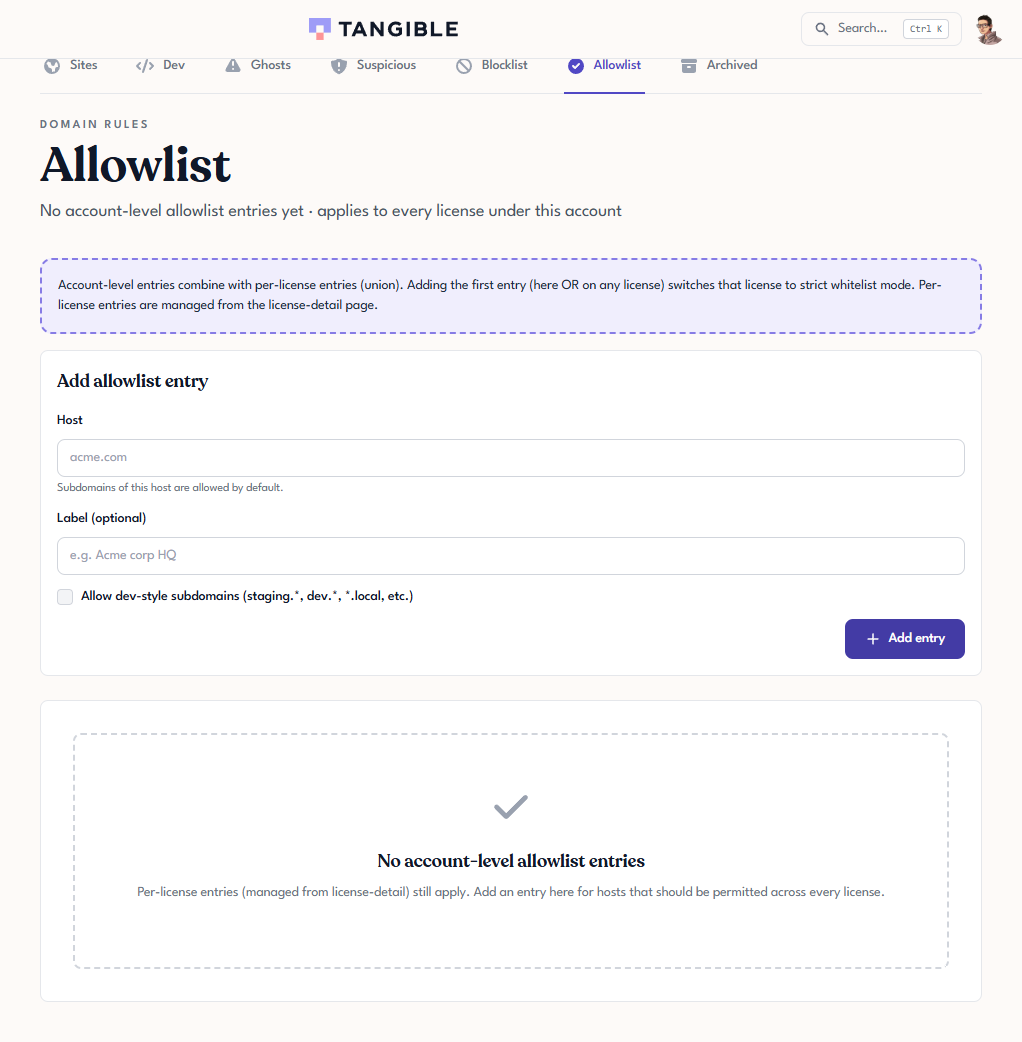
Open Websites → Allowlist and use Add allowlist entry:
- Host: the domain to allow (for example,
acme.com). Subdomains of it are allowed by default. - Label (optional): a note to identify the entry.
- Allow dev-style subdomains: also permit
staging.*,dev.*,*.local, and similar preview hosts under the domain.
Adding the first allowlist entry switches affected licenses into strict whitelist mode. From then on, only listed hosts can activate. (The app notes that account-level entries combine with any per-license entries as a union.)
Blocklist
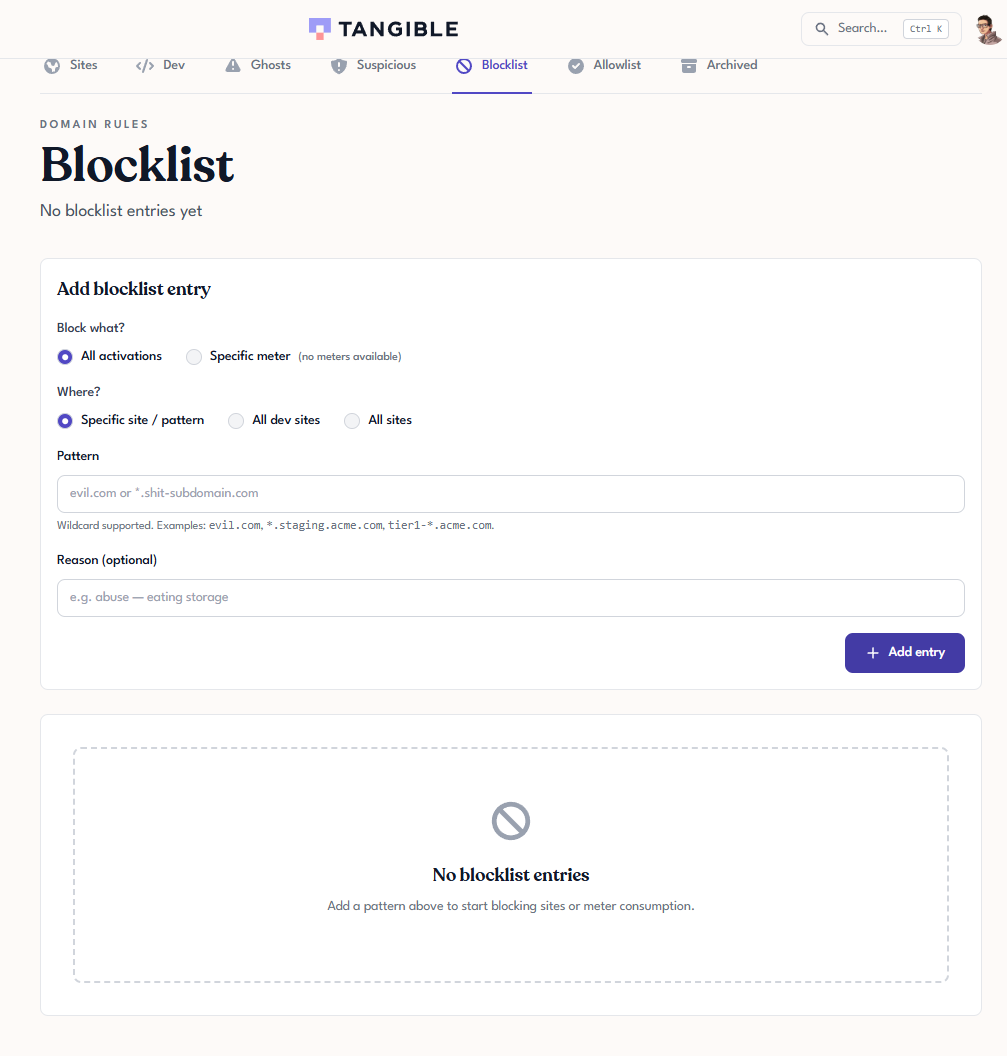
Open Websites → Blocklist and use Add blocklist entry:
- Block what? (All activations, or a specific meter).
- Where? (a specific site / pattern, all dev sites, or all sites).
- Pattern: the domain or wildcard to block. Wildcards are supported, for example
evil.com,*.staging.acme.com, ortier1-*.acme.com. - Reason (optional): why you blocked it.
Typical uses: a stolen key being used on unknown domains (block them while the key is rotated), a staging site a license should never be accepted on, or one abusive subdomain of an otherwise-allowed domain.
Common patterns
| What you want | How to set it up |
|---|---|
| Production only, one site | Add the production host to the Allowlist. Leave Allow dev-style subdomains off. |
| Production plus matching dev/staging | Add the production host to the Allowlist. Enable Allow dev-style subdomains. |
| Open to any site | Leave the Allowlist empty. Use the Blocklist only for specific problem hosts. |
| Block one abusive subdomain of an allowed domain | Keep the allowed host on the Allowlist. Add the problem subdomain as a Blocklist pattern. |