4.4 Deactivating a Site
When you stop using a Tangible plugin on a site (the site is decommissioned, you're migrating to a new domain, or you've hit your activation limit and need to free a slot), you deactivate that site. Deactivating doesn't affect the license itself, only its usage: the activation count goes down by one, and the slot becomes available for another site.
There are two places you can deactivate from: the WordPress site itself, or Tangible Cloud.
To move a site onto a different license (for example, onto a Creators' Club bundle), deactivate the plugin on the site, then re-activate it with the new key: paste the new license key into the plugin's License tab and click Activate. The old license's activation is released and the new one is used.
From WordPress (preferred)
Deactivating from the site where the plugin runs is the cleaner option because it also releases the key locally. The plugin will no longer consider itself licensed on that site.
- Open the site's WordPress admin and go to the Tangible plugin's License tab. The exact path varies per plugin.
- Click Deactivate (or the equivalent button the plugin displays).
- Tangible Cloud receives the deactivation and updates the license's activation count.
Back in Tangible Cloud, the site no longer appears on the license's Websites tab, and the activation count drops.
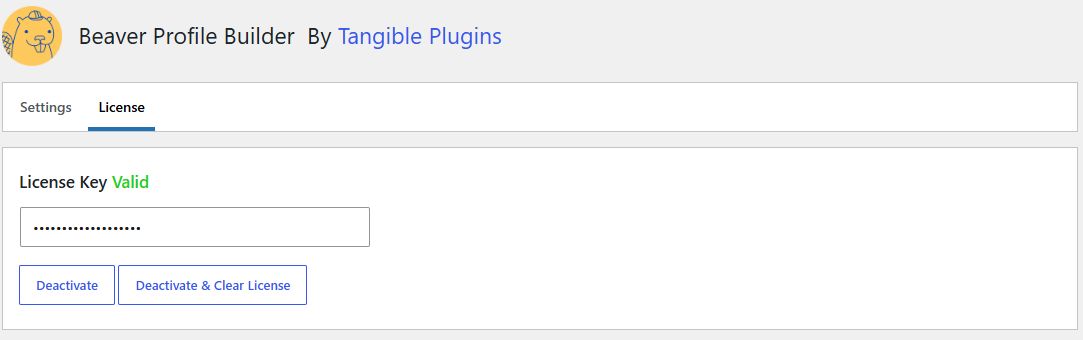
The Deactivate control is what was the Activate button before the site was successfully licensed.
If you can't reach the site
Tangible Cloud doesn't have a per-activation "deactivate" button on the license itself. If the site is down, sold, or you've lost access, use the account-level tools on the Websites page instead:
- Archive the site: from the Websites list, archive the site to take it out of active use (it moves to the Archived tab). See the Websites section.
- Block the domain: add the site's domain to the Blocklist (Websites → Blocklist) so it can't activate again.
Deactivating from Tangible Cloud doesn't notify the plugin on the site. If the site is still running, the plugin may continue to behave as if it's activated until its next scheduled capability check, at which point it will report as unlicensed. If the site is still under your control, prefer deactivating from WordPress first.