9.1 Help Resources
The top half of the Help page in Tangible Cloud shows resource cards that link out to the main self-service destinations. Each card is a shortcut to an external site, not a page inside Tangible Cloud.
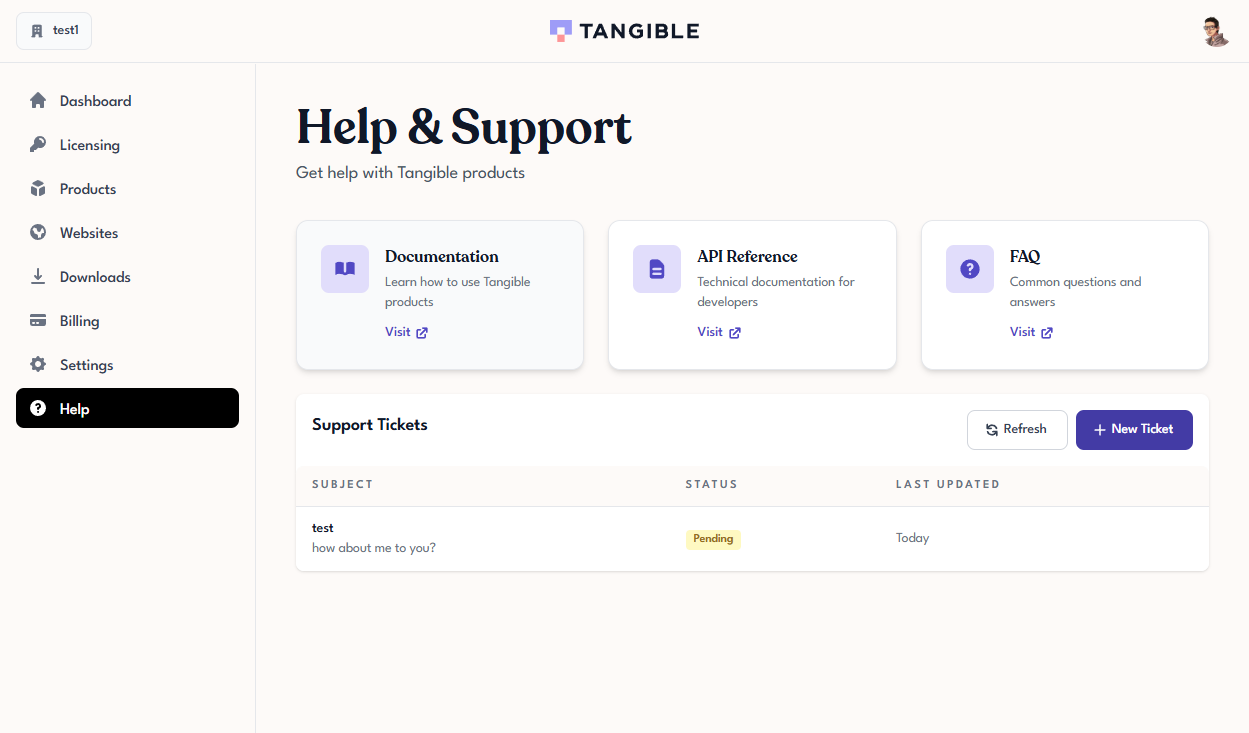
Documentation
The Documentation card opens Tangible's documentation site, where product-usage guides, tutorials, and reference material live.
When to use it:
- You're setting up a feature for the first time and want step-by-step instructions.
- You're trying to understand how a part of the product works.
- You want a walkthrough that matches what you're seeing on screen.
FAQ
The FAQ card opens the Frequently Asked Questions list on the main tangible.one site. This is the fastest place to look for answers to common questions that don't need a full documentation page.
When to use it:
- You have a short, specific question ("Can I do X? Does Y work with Z?").
- You're looking for pricing, refund, or policy questions.
- You're trying to sanity-check whether a behaviour is expected.
When none of the resources answer your question
File a support ticket. See Filing a Support Ticket.